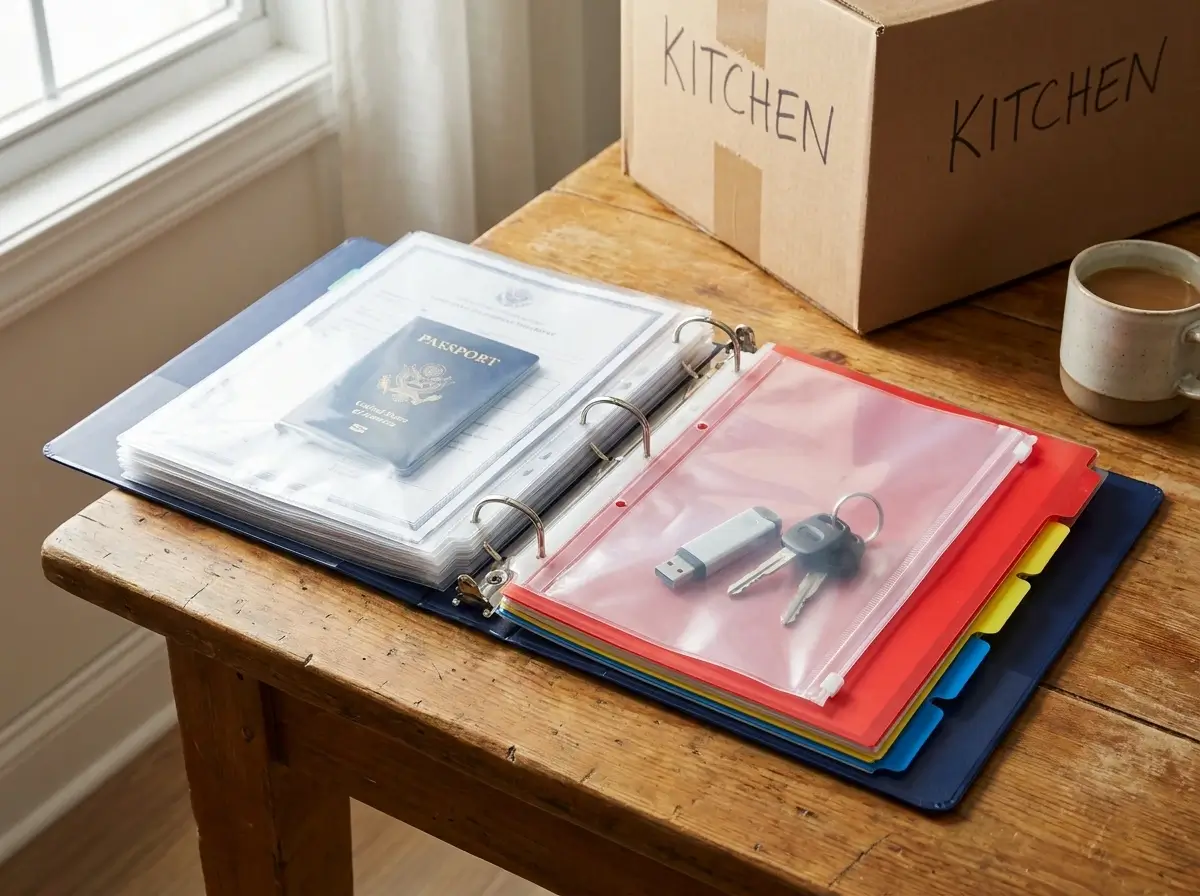
When it comes to military relocations, paper is your lifeline.
If the network goes down or a moving truck gets delayed, having hard copies of your orders and medical records isn’t just convenient—it’s critical.
A well-organized PCS move planning binder acts as your portable command center. It ensures that every essential document travels with you, safely in your vehicle, rather than packed away in a random cardboard box.
This guide covers exactly what to include in your binder, how to organize it for quick access, and how to keep sensitive information secure on the road.
Let’s build a paper system that takes the stress out of your next relocation.
Why You Need a Physical PCS Move Planning Binder
When you are preparing for a military relocation, paperwork multiplies faster than you can track it.
Between clearing your current duty station, dealing with the housing office, and preparing for the next assignment, you will handle dozens of critical forms.
It is tempting to just shove everything into a random folder or rely completely on your smartphone.
However, taking the time to build a dedicated pcs move planning binder is your absolute best defense against relocation disasters.
Keeping paper organized is frequently one of the biggest hurdles for newcomers facing their first transition.
(If you are feeling overwhelmed by the process as a whole, take a step back and read our First PCS Move Tips: The 2026 Guide to Surviving Your Initial Relocation for broader advice on managing initial move anxiety).
Once you have your bearings, it is time to tackle the paperwork. Here is exactly why a hard-copy system is non-negotiable.
The Nightmare of Accidentally Packed Documents
Moving day is the definition of organized chaos.
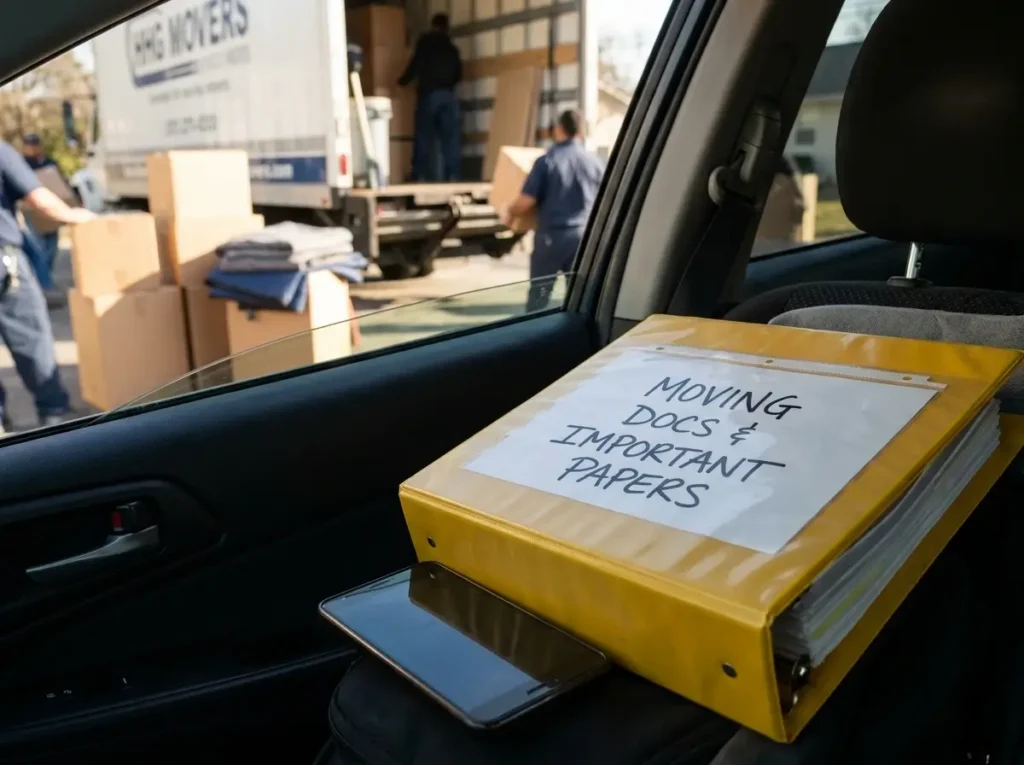
Items left on kitchen counters, dining tables, or desks have a habit of vanishing into the Household Goods (HHG) truck before you even realize they are gone.
If your military orders, medical records, or family passports get packed by mistake, you have a massive problem on your hands.
Once the seal goes on that moving truck, those documents are locked away for weeks—and sometimes even months, depending on your destination.
You cannot simply ask the moving crew to pull over and unpack a multi-ton truck to find a missing marriage certificate or birth certificate.
Without those physical hard copies in your hands, you will immediately hit bureaucratic roadblocks.
You might face significant delays in receiving travel pay or per diem reimbursements.
You could run into issues registering your children for their new schools, or face instant roadblocks when trying to formally check in at your gaining command.
Keeping a bright, clearly labeled pcs move planning binder on your person—or locked safely in your vehicle during load day—ensures that your most vital paperwork never ends up in a cardboard box.
The Hidden Limits of Digital-Only Files
We live in a modern digital world, so it is incredibly natural to assume you can just save a few PDFs to your smartphone and hit the road.
Relying entirely on digital files, however, is a very common mistake during military moves.
Consider what happens when you are driving cross-country through a remote area with absolutely zero cell service.
If you need to quickly reference your orders at a base gate or verify your vehicle registration, you cannot wait five minutes for a cloud drive to load.
Travel days are long, and phone batteries frequently die exactly when you need them most.
Tablets get dropped, car chargers get misplaced, and logging into secure military portals on the road can be a massive headache.
Beyond those everyday technical failures, military bureaucracy still runs heavily on physical paper.
Many base offices, from the local housing office to the transportation management office (TMO), require physical stamps and “wet” signatures on your original documents.
Trying to email a digital file to a busy clerk who needs to physically stamp your out-processing forms will only slow down your timeline.
A physical pcs move planning binder completely bypasses all of these digital roadblocks.
It gives you instant, fail-proof access to your records, whether you are standing in a dusty parking lot with no cell service or sitting in a new doctor’s office waiting to hand over immunization records.
Essential Supplies for Your PCS Move Planning Binder
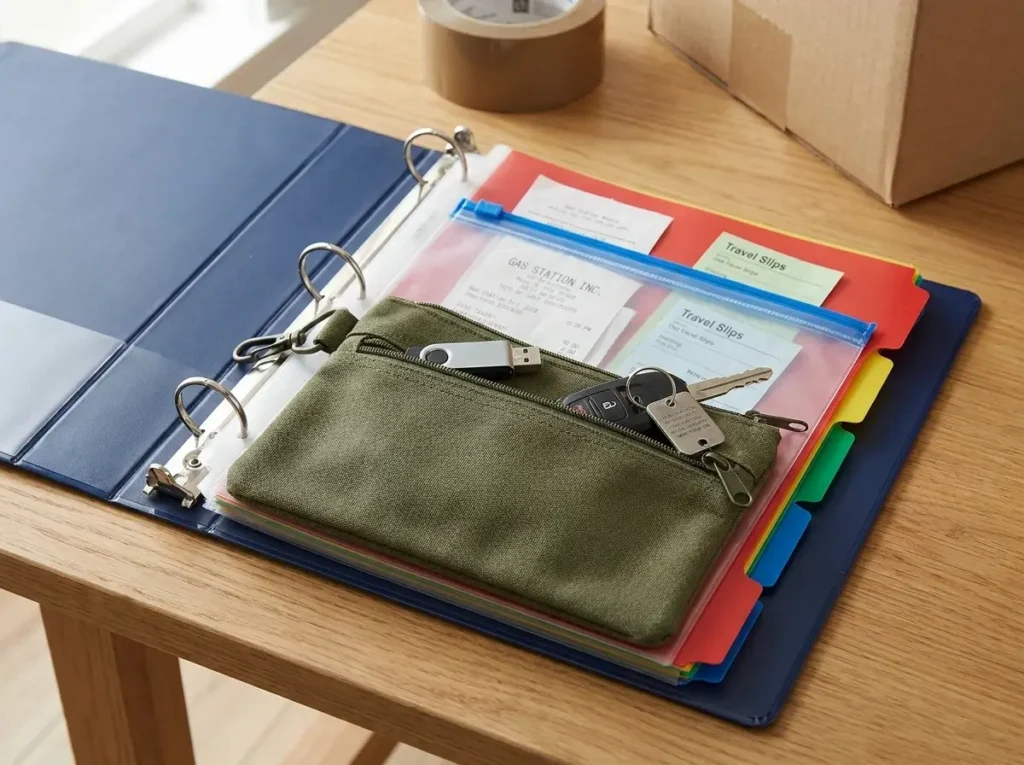
Building a reliable pcs move planning binder starts with acquiring the right hardware.
Do not make the common mistake of grabbing a flimsy, leftover school folder from the back of a desk drawer.
Your document organization system needs to survive weeks of travel, changing climates, and rough handling.
To create a system that will not fall apart halfway to your new duty station, you need three specific moving supplies:
- A heavy-duty, high-capacity binder
- Sealable document sleeves
- Durable dividers and physical storage pouches
Let’s break down exactly what to look for when building your portable command center.
Choosing the Right Heavy-Duty Binder
The foundation of your entire system is the physical binder itself.
We highly recommend investing in a heavy-duty, D-ring binder rather than a standard O-ring model.
D-rings allow your documents to lie perfectly flat, preventing pages from catching, tearing, or spilling out when you quickly flip to a specific section.
Aim for a binder size of two to three inches.
This provides plenty of capacity to hold your entire family’s records, including housing office forms and household goods inventories, without bursting at the seams.
Remember, your pcs move planning binder is going to endure a significant amount of abuse on the road.
It will be repeatedly tossed onto car floorboards, jammed into fully packed trunks, and dragged across countless hotel desks.
A hard, heavy-duty cover ensures that the vital contents inside remain pristine, no matter how chaotic the travel days become.
Protective Sleeves for Travel Receipts and Forms
Once you have the outer shell, you need to protect the individual pages.
Standard printer paper simply cannot withstand the wear and tear of a cross-country military relocation on its own.
This is where clear sheet protectors become absolutely essential.
Sliding your critical paperwork into protective sleeves shields your documents from accidental coffee spills in the front seat or sudden rainstorms at a rest stop.
However, not all sheet protectors are created equal.
For smaller items like per diem receipts, gas station slips, and toll tickets, standard open-top protectors are a major liability.
If the binder is turned upside down, those small slips of paper will instantly slide out and disappear under a car seat.
Instead, purchase specialized protective sleeves that feature zipper closures or fold-over flaps.
These secure closures guarantee that you will never lose a tiny but crucial travel receipt required for your final travel voucher.
Tabbed Dividers and Storage Pouches
A thick stack of hundreds of loose pages is virtually useless during a high-stress travel emergency.
To make your pcs move planning binder truly functional, you must build a highly visual categorization system.
Use sturdy, color-coded dividers to separate your documents into logical sections, allowing you to instantly locate what you need without frantic searching.
Make sure to select tabs made of durable plastic rather than paper, as paper tabs tend to rip off easily after just a few weeks of daily use.
Finally, complete your setup by clipping a heavy-duty, three-ring pencil pouch into the very front of the binder.
This pouch is not for pens—it serves as the perfect secure storage spot for essential physical items.
Use it to hold extra sets of house keys, spare vehicle keys, or the encrypted flash drive containing your digital document backups.
By keeping these physical items locked securely into the binder rings, you consolidate all your relocation essentials into one perfect grab-and-go system.
Category 1: Official Orders and Military Documents
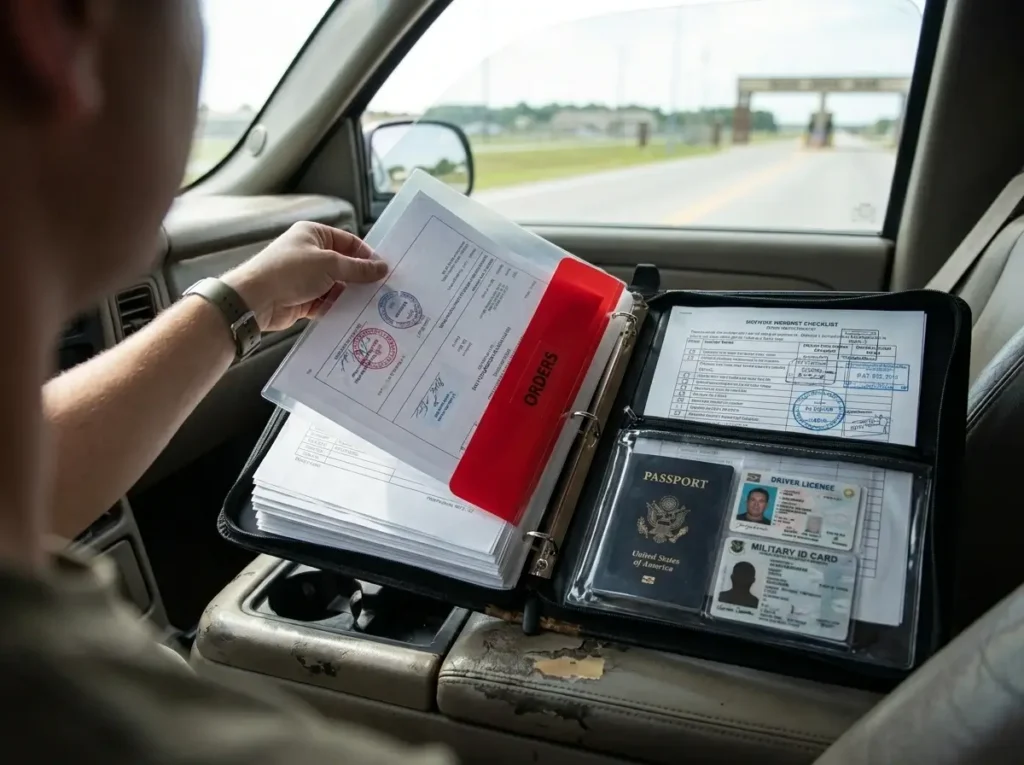
The very first section of your pcs move planning binder is arguably the most important one you will create.
This is where the military relocation officially begins and ends.
Category one is dedicated exclusively to your official orders, clearing checklists, and critical identification documents.
When navigating the complexities of military bureaucracy, having immediate access to your primary records can save you hours of frustration.
Here is exactly what needs to go into this high-priority section.
The Rule of Multiple Copies for Orders
A common mistake during a permanent change of station is assuming one or two physical copies of your military orders will be enough.
As you transition between duty stations, it will quickly feel like everyone needs to see your orders.
More importantly, many offices will require keeping a hard copy for their own permanent files.
You should plan on printing at least 10 to 15 copies of your web orders to keep in your pcs move planning binder.
You will hand these out to the base housing office, the transportation management office, the finance desk, and your gaining command upon arrival.
When you arrive at a new base gate or check into temporary lodging, pulling out a fresh copy keeps the line moving.
Having a thick stack of pre-printed copies prevents you from scrambling to find a working printer in a random hotel lobby halfway across the country.
Streamlining Your Base Clearing Papers
Before you can even hit the road, you must successfully out-process from your current duty station.
Base clearing is notoriously tedious, and this process generates a substantial amount of paperwork.
You should dedicate a specific, highly visible tabbed section strictly for your base clearing papers.
Keep your master out-processing checklist right at the front of this tab so you can easily reference your progress.
As you visit different facilities—from the medical clinic to the central issue facility—you will collect physical stamps and signatures.
Store every single signed form and clearing document securely in this section.
Missing a single stamp can easily delay your departure date.
If a computer system fails or a clerk accidentally deletes a digital record, this section of your binder acts as your bulletproof, hard-copy proof that you returned your gear and cleared the base properly.
Securing Vehicle and Identification Paperwork
The final element of this primary category focuses on the logistics of moving yourself and your vehicles.
When you are driving thousands of miles, having instant access to vehicle and identification paperwork is vital.
Include physical copies of your vehicle registrations, current auto insurance cards, and any shipping documents if a vehicle is being transported by the military.
Ensure that your printed insurance cards cover the exact dates of your travel, as policies might renew while you are still on the road.
Additionally, experienced movers know to prepare for the worst-case scenario.
Make high-quality, front-and-back photocopies of every family member’s military ID, driver’s licenses, and passports.
Tuck these photocopies securely into the zipper-closed sleeves of your pcs move planning binder.
If a wallet is lost or stolen at a busy highway gas station, these photocopies will save you from a massive administrative nightmare.
While a photocopy does not replace an official ID at a security checkpoint, it provides the exact DOD ID numbers and expiration dates you need to expedite getting official replacements.
Keeping these critical identification records centralized means you are always prepared for the unexpected.
Category 2: Medical, Dental, and School Records
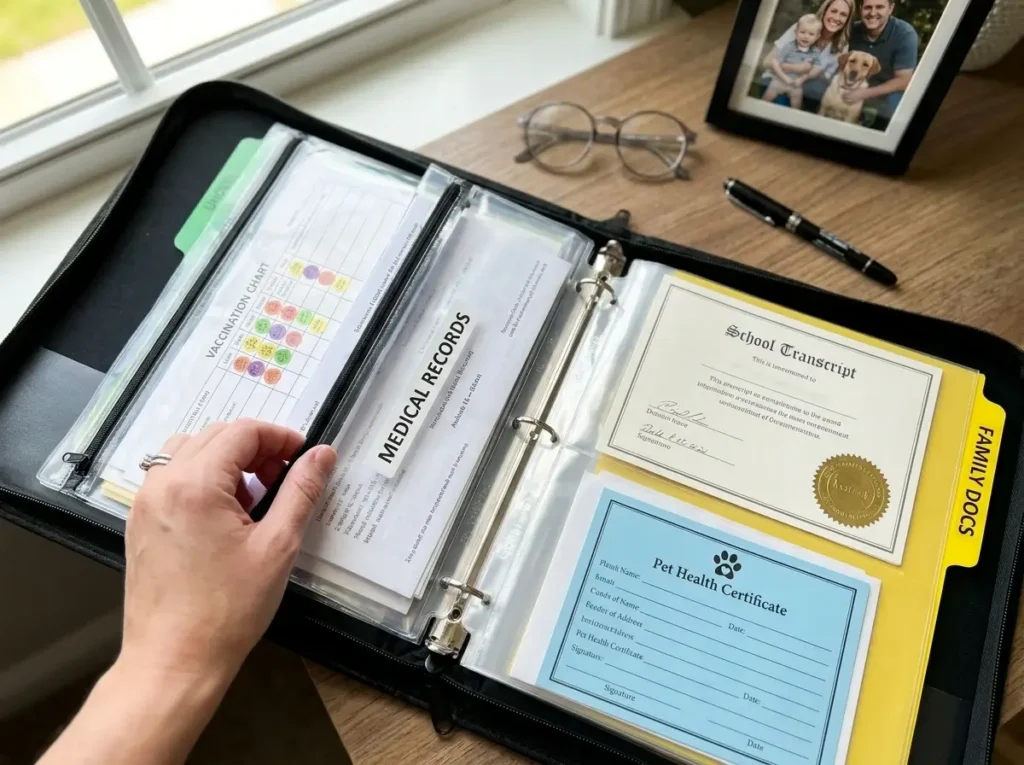
Once you have your official orders and identification secured, the next crucial section of your pcs move planning binder focuses entirely on your family’s health and education.
Continuity of care is often one of the most stressful parts of any military relocation.
You simply cannot rely on electronic medical records transferring seamlessly between different military treatment facilities, let alone civilian providers.
By systematically grouping all medical, dental, and educational documents in one secure place, you ensure your family experiences zero gaps in care or schooling upon arrival.
Here is how to properly organize this vital section.
Managing EFMP and Specialized Medical Forms
If your family is enrolled in the Exceptional Family Member Program (EFMP), this paperwork must take absolute priority in your binder.
Keep all printed EFMP screening forms, specialized care plans, and ongoing prescription records easily accessible.
When you arrive at your new duty station, the gaining command’s medical facility will often ask to see these exact hard copies immediately to establish new care.
A common mistake is accidentally packing these specialized medical forms in household goods, which can leave a family member without essential physical therapy services or prescription refills for weeks.
Use a dedicated, brightly colored divider in your pcs move planning binder solely for specialized medical documentation.
This ensures you can hand over the exact diagnosis codes and treatment histories to new specialists without missing a single beat.
Vaccination and General Health Records
Beyond specialized care, you must organize the general health and dental records for every single family member.
Vaccination records are particularly critical during a permanent change of station.
Whether you are registering your children for a new school district, a base child development center (CDC), or local youth sports, you will be asked for an up-to-date printed shot record.
Do not assume the new clinic can instantly pull these from a shared military database the day you arrive.
Keep a physical copy of all recent physicals, dental exams, and immunization logs neatly tucked into the protective sleeves of your binder.
If you are moving overseas, these shot records become even more important for securing medical clearance to travel.
Organizing School Transcripts and Vet Records
Finally, you need to round out this section with essential educational and pet records.
Many school districts require hard copies immediately upon arrival to place your child in the correct grade or specialized classes.
Group your children’s critical educational documents together, including:
- Official school transcripts: Always check with your current district to see if these need to remain in a sealed envelope.
- Specialized education plans: Include any current Individualized Education Programs (IEPs) or 504 plans.
- Standardized test scores: Keep recent academic assessments handy to help guide placement.
If you are traveling with pets, their paperwork is just as urgent.
Keep your pet’s current health certificates and updated rabies vaccination records right next to your children’s transcripts in your pcs move planning binder.
You will absolutely need these vet records to legally cross state lines, board commercial flights, or secure a spot in base housing.
Having this documentation categorized and ready guarantees your entire family—pets included—can settle into the new location smoothly.
Category 3: Housing, Inventory, and Moving Company Files
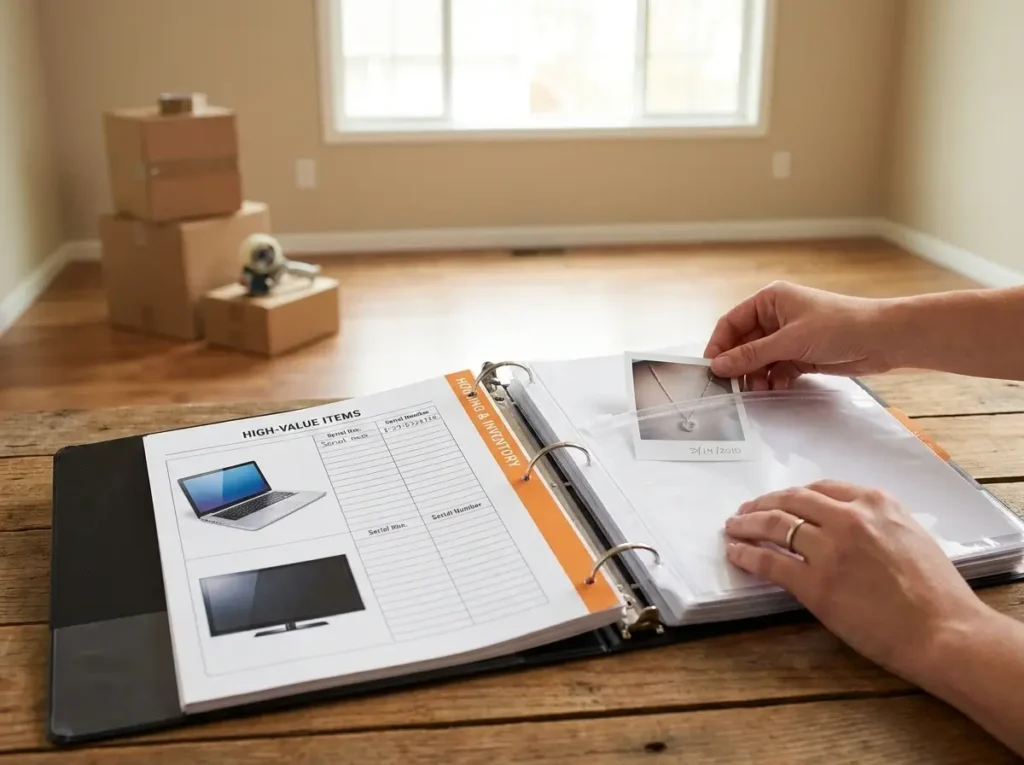
The third major section of your pcs move planning binder is dedicated entirely to the logistics of your physical household.
Moving your family and your belongings involves managing massive contracts, detailed inventories, and multiple moving coordinators.
When you are standing in an empty house watching a crew pack your life away into a truck, you need instant access to housing agreements and carrier information.
Consolidating these specific files ensures you are never caught off guard if a landlord disputes a move-out date or a moving shipment goes off the grid.
Here is how to structure the paperwork that governs your household goods and housing transitions.
Managing Lease and Mortgage Documents
Whether you are renting on the local economy, living in base housing, or selling a home, housing transitions generate a mountain of paperwork.
Use this section to store the critical documents for both the home you are leaving and the residence you are moving into.
If you are breaking a civilian lease using military orders, keep a printed copy of your Servicemembers Civil Relief Act (SCRA) notice alongside your final move-out inspection forms.
A common hurdle many military renters find is landlords attempting to charge unfair cleaning fees after the fact, so having your signed clearing papers and move-out condition forms on hand is your best protection.
For your new location, file your upcoming lease agreements, base housing waitlist confirmations, or new mortgage approvals right behind your move-out documents.
Having these papers instantly available in your pcs move planning binder makes picking up the keys to your new home a seamless, low-stress process.
Documenting Your High-Value Item Inventory
When a commercial moving crew packs your house, they will provide an official Household Goods (HHG) inventory list.
While the movers track the overall box count, you must maintain your own detailed records of your most expensive possessions.
Keep a printed copy of your high-value item inventory directly in your binder, separated by a bright tab.
This list should explicitly track the make, model, and condition of your belongings.
- Serial numbers: Log these meticulously for all expensive electronics, gaming systems, and specialty gear, as they are required for any potential loss claims.
- Physical evidence: Print clear, date-stamped photos of high-value items—including jewelry, antiques, or specialized tools—to prove their exact condition before they were packed.
If a television arrives shattered or a box of heirlooms goes missing in transit, this documentation is the only way to quickly and accurately file a claim with the moving company.
Tuck these photos and printed inventories into the protective sleeves of your binder so they never get separated from your official shipping documents.
Consolidating Essential Moving Contacts
During the chaotic days of cross-country transit, your smartphone’s digital address book might not be enough to save you.
If your phone battery dies or you lose access to your email account on the road, you still need a way to reach the people handling your physical belongings.
Create a dedicated, printed contact sheet for your pcs move planning binder.
This single sheet of paper should prominently feature the direct phone numbers and email addresses for your local Transportation Management Office (TMO) or Distribution Management Office (DMO).
More importantly, list the specific dispatch number for the commercial moving carrier assigned to your shipment, along with the driver’s direct cell phone number if they provided it.
If your delivery window changes abruptly or you need to urgently report a delay to the base office, having a hard-copy contact sheet ensures you can borrow a phone and make those critical calls immediately.
How to Secure Your PCS Move Planning Binder During Transit
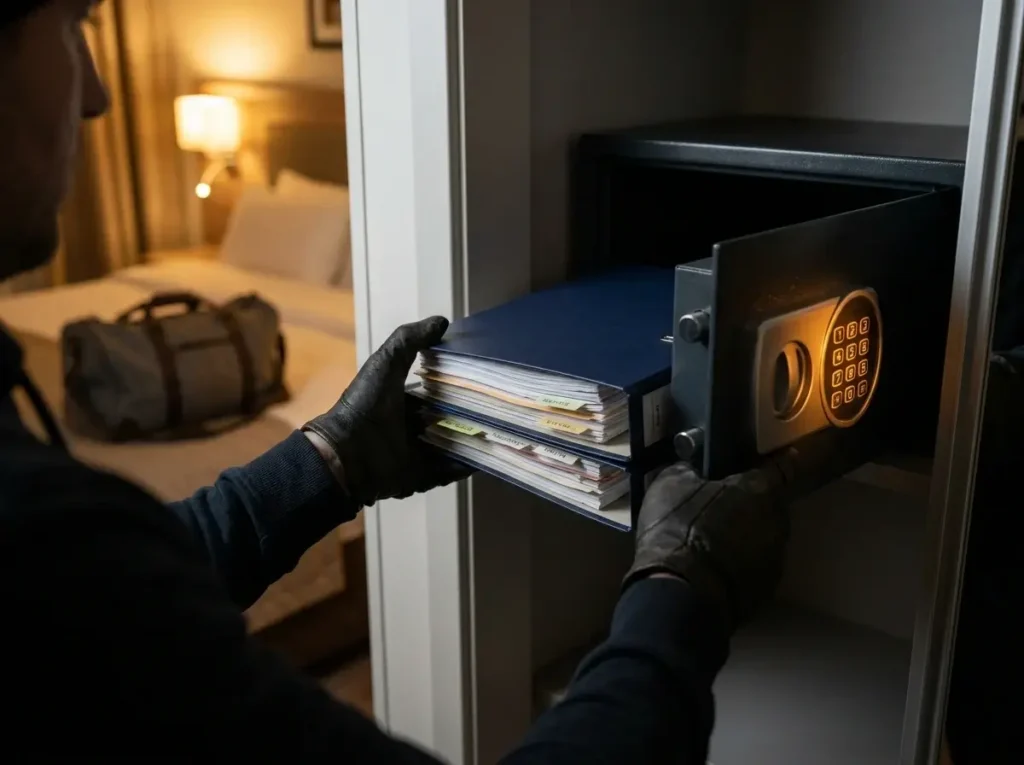
Once you have meticulously gathered and organized all of your documents, you are suddenly carrying your family’s entire identity in a single place.
Because your pcs move planning binder holds everything from original birth certificates to detailed medical histories, it requires strict security protocols.
You must treat this binder with the same level of caution as you would a large envelope of cash.
A stolen or lost binder during a cross-country drive can trigger an identity theft nightmare and delay your military in-processing by weeks.
Here is how to ensure your most sensitive paperwork stays completely secure while you are in transit.
The Golden “Never Pack It” Rule
The absolute most important rule of relocation paperwork is that it must travel directly with you in your personal vehicle.
Your binder should never, under any circumstances, go into the back of the household goods (HHG) moving truck.
A very common mistake many moving families make is leaving their paperwork sitting on the kitchen counter on pack-out day.
Commercial moving crews work incredibly fast, and they will efficiently box up anything left out in the open.
To prevent this disaster, lock your pcs move planning binder inside your personal vehicle before the moving crew even knocks on your front door.
If you are flying to an overseas duty station, this binder must stay inside your personal carry-on backpack.
Never place it in your checked bags or your unaccompanied baggage (UAB) shipments.
Vehicle and Hotel Security Best Practices
During a multi-day road trip, your personal vehicle is highly vulnerable.
Unfortunately, fully packed cars parked outside of highway hotels are frequent targets for overnight break-ins.
You should never leave your binder visible on a car seat or dashboard when the vehicle is unattended, even if you are just running into a gas station for five minutes.
When you stop for the night, you must bring the binder inside the hotel room with you.
Do not leave it locked in the trunk or a rooftop cargo box overnight, as these can still be easily compromised by thieves.
Once inside your lodging, utilize the hotel room’s built-in safe, especially if you leave the room to grab dinner.
If the safe is not large enough to hold the entire pcs move planning binder, pull out the specific protective sleeves holding your passports and social security cards to lock those away separately.
Shielding Personally Identifiable Information (PII)
Beyond preventing physical theft, you must actively protect your documents from casual snooping.
Your paperwork contains a massive amount of Personally Identifiable Information (PII), including Social Security Numbers, Department of Defense ID numbers, and sensitive medical diagnoses.
When you are pulling out your binder at a busy hotel front desk or a crowded base gate, be highly aware of wandering eyes.
Never leave the binder flipped open on a public counter while you search your pockets or purse for a credit card.
You can take a few proactive steps to shield your PII from casual view:
- Use opaque sleeves: Consider using solid-colored or frosted document sleeves for the very first page of highly sensitive sections, so data isn’t immediately visible when you turn the tab.
- Fold sensitive forms: For forms that boldly display SSNs across the top, fold the paper in half so the numbers face inward before sliding it into the clear protector.
By taking these small but deliberate steps to protect your personal data, you drastically reduce the risk of your identity being compromised during a chaotic transition.
Digital Backups: The Perfect Companion to Your Binder
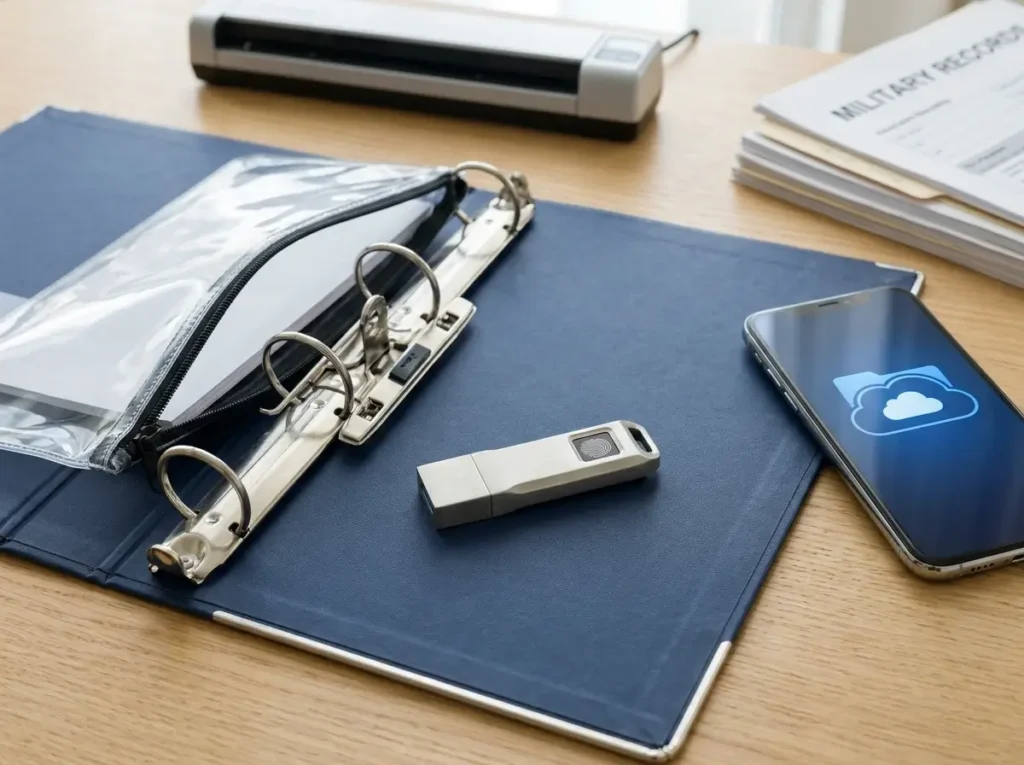
While we heavily advocate for keeping physical hard copies of your relocation paperwork, relying entirely on a single physical object still carries a slight risk.
If your pcs move planning binder is accidentally dropped in a puddle during a rainstorm or left behind at a hotel front desk, you absolutely need a fail-safe backup plan.
This is where building a comprehensive digital backup system becomes the perfect companion to your paper strategy.
By pairing your physical documents with strictly secured digital copies, you build an unbreakable safety net for your family’s vital records.
Let’s look at how to properly digitize your portable command center without exposing your personal data to unnecessary risks.
Creating a Secure Digital Twin on an Encrypted Flash Drive
The most effective way to back up your highly sensitive paperwork is by creating a complete “digital twin” of your physical documents.
A common strategy for experienced military families is to sit down a week before the move and scan every single page of their pcs move planning binder.
However, you cannot simply drag these PDF files onto a cheap, standard thumb drive.
Because these specific files contain your family’s most sensitive Personally Identifiable Information (PII)—including Social Security numbers and detailed medical histories—you must utilize an encrypted, password-protected USB flash drive.
This critical step ensures that even if the drive is dropped at a rest stop or stolen from a bag, your identity remains completely protected behind strong encryption.
Once you have painstakingly scanned your official orders, medical records, and passport photocopies, store this encrypted flash drive directly inside the three-ring zipper pouch of your binder.
Keeping the drive tethered to the physical binder ensures your secure document transit system is centrally located.
If a disaster strikes and your physical paper documents are ruined by a spilled drink, you can simply plug this flash drive into the nearest computer and instantly print a fresh, complete set of records.
Cloud Storage Best Practices for Non-Sensitive Files
While an encrypted flash drive is ideal for highly sensitive data, cloud storage is incredibly useful for quick, everyday travel reference.
When you are standing at a busy hotel check-in counter, pulling out your smartphone is often much faster than digging through a bulky binder.
However, a common mistake during a military move is uploading unencrypted medical records or ID photocopies to standard commercial cloud drives, which leaves you highly vulnerable to data breaches.
Instead, you should reserve your cloud backup documents strictly for low-risk, logistical files.
Use your preferred cloud drive to store the following functional items:
- Travel reservations: Upload your hotel confirmations, rental car agreements, and commercial flight itineraries for easy mobile access.
- Moving logistics: Store digital copies of your moving company contact sheets, basic box inventory lists, and generic housing office guides.
- Installation guides: Keep PDF versions of your gaining base’s maps, welcome packets, and local community guides.
By keeping these low-risk logistical documents in the cloud, you can quickly access them from your phone if your pcs move planning binder is temporarily locked safely inside your vehicle.
Using this hybrid approach—an encrypted physical drive for sensitive data and a secure cloud folder for quick logistics—guarantees your relocation stays entirely on track.
Conclusion
Building a reliable binder takes a few hours upfront, but it pays dividends for the entire journey.
When you have every order, record, and receipt at your fingertips, you eliminate the panic of misplaced paperwork.
Ready to get started? Grab your supplies and begin printing your most critical documents today.
If you are still mapping out your overall timeline, be sure to review our comprehensive 90-day move checklist to keep everything else on track.