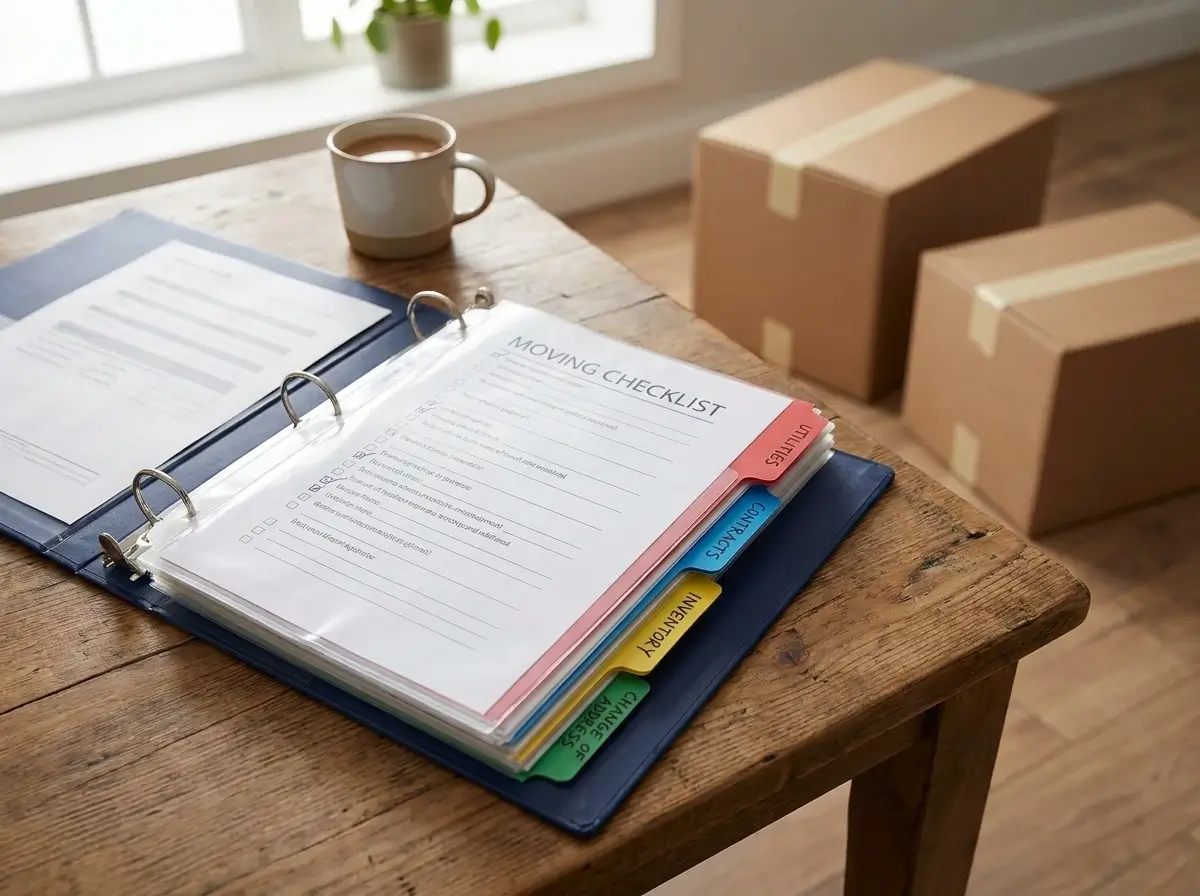
Every year, roughly 300,000 military members and their families execute a Permanent Change of Station (PCS).
The logistics can quickly overwhelm even the most seasoned movers.
Losing a single important document can delay housing, stall reimbursements, or complicate new school enrollments for your kids.
That is why standard pocket folders rarely cut it.
You need a dedicated system that works with you during the chaos of transit.
We have compiled the most effective PCS binder organization ideas to help you build a reliable, fail-proof document hub for the road.
The Core Categories Every Relocation Needs
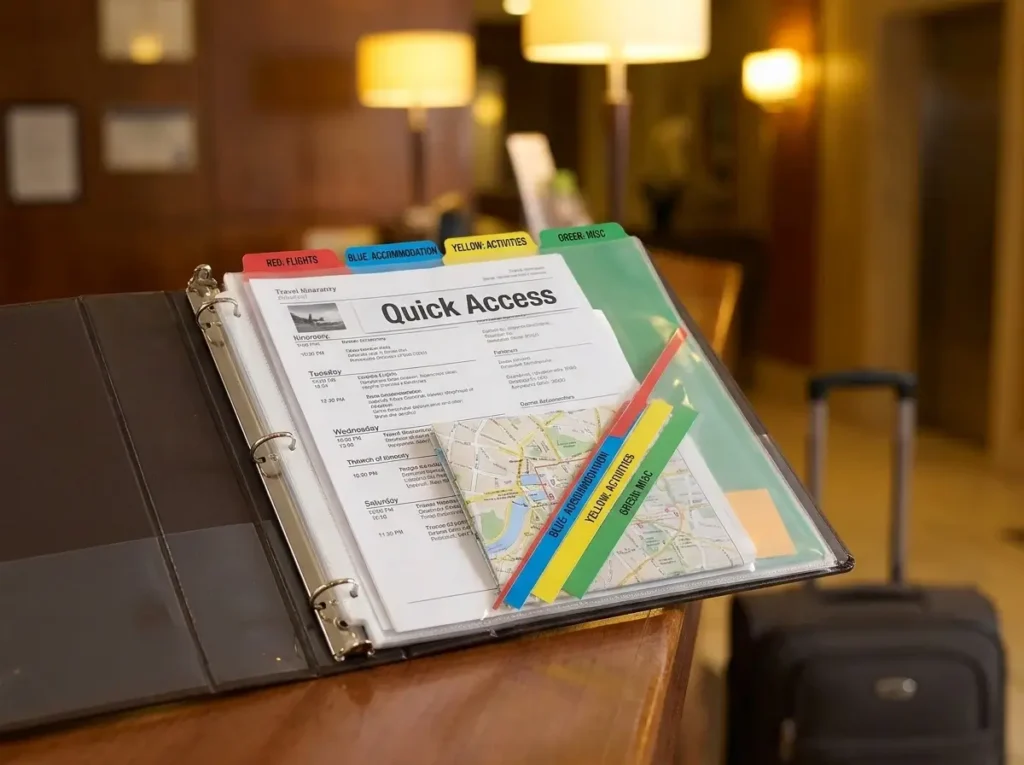
When you are standing at a hotel check-in desk after a twelve-hour drive, you do not want to be digging through a messy stack of papers.
The foundation of a stress-free move is having a predictable home for every single document. That is why the most effective PCS binder organization ideas start with a ruthless categorization strategy.
Start With the Right Foundation
Before you can start sorting paperwork, you need a physical system that can actually survive the trip.
Flimsy folders will inevitably tear, drop papers, or get crushed under a heavy suitcase. A moving binder needs to withstand weeks of being tossed into backseats and carried into lodging facilities.
If you have not set up your physical binder yet, pause here. Check out our guide on How to Build a PCS Move Planning Binder You’ll Actually Use.
That post breaks down exactly which heavy-duty binders, reinforced tabs, and plastic sheet protectors hold up best during a military relocation. For example, heavy-duty D-ring binders generally allow pages to turn much smoother than standard O-rings without catching or tearing.
Once you have the right gear in hand, it is time to build out your core sections.
The “Quick Access” Travel Day Strategy
A common mistake many families make is burying their most critical documents deep inside the binder.
During transit days, you need certain paperwork at a moment’s notice. When the gate guard asks for your paperwork at a new installation, you should be able to hand it over in seconds.
Create a dedicated “Quick Access” zone using the very front pocket or a brightly colored plastic sleeve at the very front of the rings. This area is strictly for immediate travel day essentials.
Here is what belongs in your Quick Access pocket:
- Multiple copies of your PCS orders: You will need these constantly, from hotel check-ins to base access. Keep plenty of printed copies on hand.
- Military and dependent IDs: Keep photocopies accessible in case someone misplaces a physical card during transit.
- Printed hotel confirmations: Cell service can drop out when you are traveling cross-country, so always keep paper backups of your lodging reservations.
- A printed route map: Relying solely on a smartphone GPS can leave you stranded in a dead zone.
Treat this front sleeve as your daily relocation survival guide.
Color-Coded Sections for Rapid Retrieval
Once your travel day essentials are secure, divide the rest of the binder into distinct, color-coded sections.
Relying on text labels alone slows you down. When your brain is tired from driving, color acts as an instant visual shortcut. Implementing color-coded tabs is one of those simple PCS binder organization ideas that pays massive dividends on moving day.
Imagine trying to find a specific housing form while a moving crew is waiting for your signature. You need a system built for rapid retrieval.
Consider this standard moving binder categories layout:
- Red for Financial: Per diem trackers, DITY/PPM receipts, and travel claims.
- Blue for Medical: Immunization records, EFMP paperwork, and dental files.
- Yellow for Housing: Lease agreements, clearing post documents, and base housing applications.
- Green for Vehicles: Vehicle registrations, shipping documents, and insurance cards.
By grouping related documents into strict categories, you create a highly reliable relocation document organizer. You will know exactly where to file a new receipt and exactly where to find it later.
When researching PCS binder organization ideas, you will quickly find that consistency is what keeps a system from falling apart. Stick to your color codes, and your binder will keep your paperwork—and your sanity—intact.
Clever PCS Binder Organization Ideas for Financial Records
A PCS move is expensive, and waiting on military reimbursements can heavily impact your family’s budget.
Misplacing a single hotel invoice or moving truck weight ticket can mean losing out on hundreds of dollars. That is why the best PCS binder organization ideas focus intensely on protecting your financial records.
When you treat your binder like a mobile accounting department, you protect your bottom line. Let’s break down how to manage the money side of your relocation.
Separating Receipts by Reimbursement Type
When you finally sit down at the transportation office to file your travel claim, handing over a chaotic pile of mixed receipts will only cause delays.
A common mistake many military families make is throwing every receipt into a single, overflowing folder. Instead, divide your financial section strictly by reimbursement type.
- Keep your DITY/PPM move receipts—like weight tickets, moving truck rentals, and packing supplies—in their own dedicated sleeve.
- Create a separate section specifically for standard travel claims, such as hotel invoices and approved meals during transit.
By grouping these financial documents logically, you make the final travel claim process significantly faster. You will know exactly which stack goes to which office, streamlining your reimbursement payout.
Using clear tab dividers to split these categories is one of the most effective PCS binder organization ideas for minimizing stress after unpacking.
Securing Odd-Sized Receipts and Tolls
Not all financial documents come on standard printer paper.
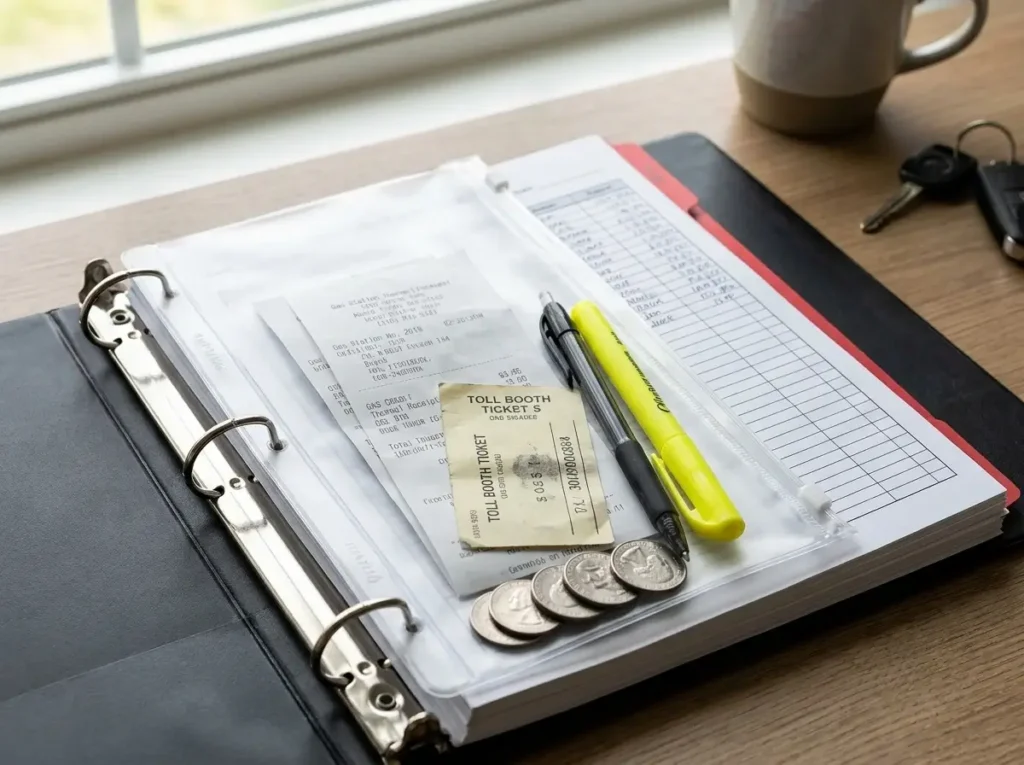
During a cross-country drive, you will accumulate dozens of tiny, odd-sized papers that can easily slip out of standard pocket folders. Think about toll booth slips, gas station printouts, and parking garage stubs.
To corral these items, add thick, zippered plastic pouches to your binder rings. Heavy-duty clear pencil pouches work perfectly for this.
- Toss loose change from tolls and tiny physical receipts directly into the zipper pouch as soon as you get them.
- Keep a dedicated pen and highlighter in the pouch so you can write the date or purpose on fading thermal receipts before the ink disappears.
Zippered pouches lock your smallest financial records in place. They prevent that dreaded moment where a crucial gas receipt flutters away in a breezy parking lot or gets crushed under a car seat.
Tracking Per Diem and Advance Pay
Managing cash flow during a move requires more than just hoarding receipts.
If you received advance pay or are relying on daily per diem allowances, you need a way to track your spending in real-time. One of the smartest PCS binder organization ideas is to keep a printed ledger sheet right at the very front of your financial tab.
A simple grid tracking your daily allowance versus actual spending helps prevent overspending on the road.
- Log your hotel and food costs each evening when you arrive at your lodging to ensure you are staying within your moving budget planner.
- Keep a running tally of your remaining advance pay to ensure you have enough funds to cover the first month’s rent and security deposits at your new location.
Many families find that physically writing down these expenses keeps them much more accountable than relying on a banking app, which might have delayed transaction posting. By placing this ledger front and center, you maintain total control over your budget from day one until day eight of your authorized travel.
Medical and School Files: Essential PCS Binder Organization Ideas
Registering kids for a new school or setting up primary care at a new clinic is often the most stressful part of settling into a new duty station.
Missing a single vaccination record or an official transcript can delay enrollment by weeks, leaving your family in a frustrating holding pattern. This is where a reliable paperwork system truly proves its worth.
Some of the most critical PCS binder organization ideas revolve around safeguarding your family’s medical and educational history.
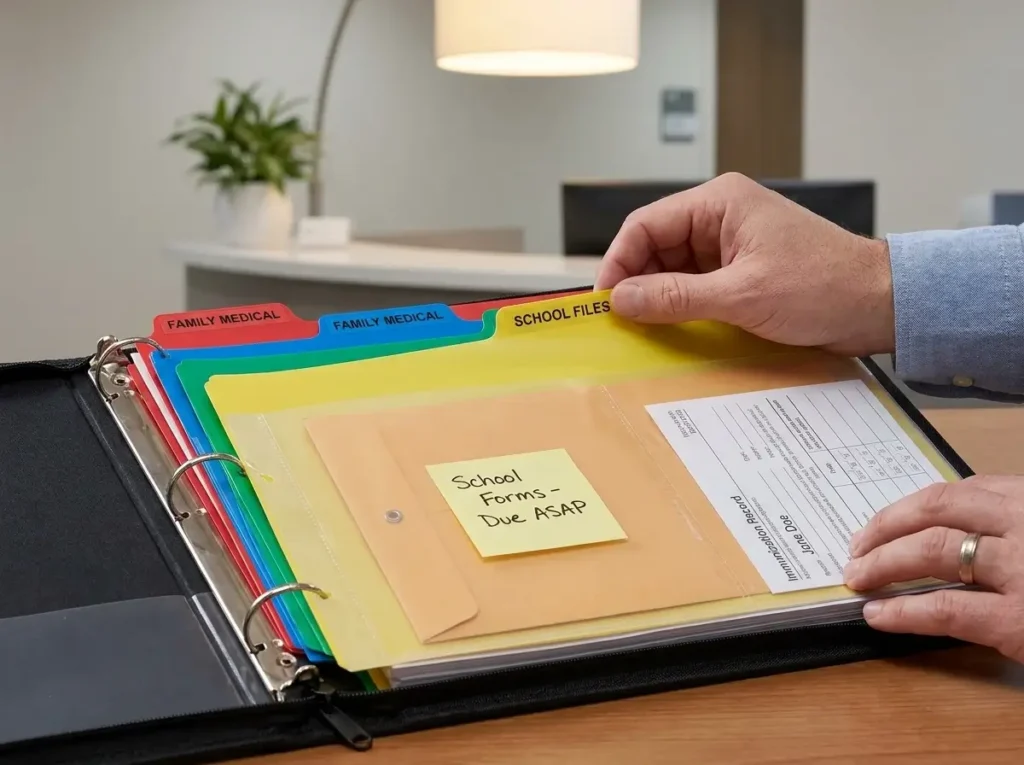
Create Distinct Sub-Tabs for Each Family Member
A common mistake during military moves is lumping everyone’s health and educational files into one giant folder.
When you are sitting in a crowded clinic waiting room, you do not want to be sorting through a spouse’s dental files to find a child’s pediatric paperwork. To prevent these stressful mix-ups, you need to allocate distinct sub-tabs for every single family member.
- Use alphabetized or color-coded dividers within the main medical and school section for each person in the household.
- Include your pets in the system, keeping vet records and pet travel documents in their own dedicated tab to ensure smooth base housing approvals.
By isolating each person’s records, you create a highly efficient system. It allows you to quickly flip to a specific name and grab exactly what the receptionist needs in seconds.
Prioritize Critical Health and EFMP Paperwork
Not all medical files hold the same urgency during a transition.
A decade-old x-ray is rarely needed on day one, but up-to-date shot records are mandatory for nearly everything. When implementing new PCS binder organization ideas, prioritizing the most frequently requested documents will save you massive amounts of time.
Keep these essential files placed at the very front of each person’s sub-tab for instant access:
- Printed immunization records and recent sports physicals, which are essential for quick school and extracurricular sign-ups.
- EFMP (Exceptional Family Member Program) paperwork, which is absolutely critical for ensuring an uninterrupted continuity of specialized care at your new installation.
- Current prescriptions and active referral documents for any ongoing medical treatments.
Keeping this critical paperwork front and center ensures you never miss a beat when transferring care to a new medical team.
Protect Sealed Transcripts and IEP Records
Educational records require an entirely different level of care compared to standard printouts.
Many school districts strictly require official transcripts to remain in their original, sealed envelopes. If that official seal is broken or torn in transit, the document is often considered void. This mistake forces you to request—and wait for—a new copy to be mailed across the country.
One of the smartest PCS binder organization ideas to prevent this is using heavy-duty slash pockets for sensitive educational files.
- Never punch holes in official documents, IEP (Individualized Education Program) records, or sealed school envelopes.
- Slide sealed transcripts into thick, transparent slash pockets or reinforced top-loading sheet protectors so they cannot accidentally slide out.
- Add a sticky note to the outside of the plastic pocket detailing exactly what is inside, ensuring you never have to open the envelope just to check the contents.
These specialized pockets keep the envelopes flat, dry, and perfectly intact throughout the journey. By securing these documents properly, you guarantee a smooth and immediate transition for your children’s educational needs the moment you arrive.
Organizing Transportation and Household Goods (HHG) Documents

Handing over everything you own to a moving crew requires a massive leap of faith.
When you are managing a government-contracted Household Goods (HHG) shipment, losing track of your inventory paperwork is simply not an option. That is why your transportation tab is arguably the most critical component of your entire system.
The best PCS binder organization ideas build a rock-solid paper trail for your belongings from origin to destination. Let’s look at how to structure the documents that protect your household goods.
Filing Crucial Transportation Forms
A common mistake during a military family move is letting the packers hand you a massive stack of messy carbon-copy paperwork with nowhere safe to store it.
You must secure these documents immediately before they get lost in the shuffle of moving day. Dedicate a specific, heavy-duty sleeve just for your official shipping forms so they stay crisp and readable.
- File the DD Form 1299 (Application for Shipment and/or Storage of Personal Property) and your official HHG orders right at the front of this tab.
- Store the moving company’s inventory sheets safely, ensuring you have legible copies of every page before the driver pulls away.
- Secure your high-value item documentation separately, as these specific items require strict oversight during packing and unloading.
By keeping these foundational transportation office records perfectly organized, you will never be caught empty-handed if a shipment gets delayed or routed to a temporary storage facility.
Visual Proof for Damage Claims
Unfortunately, items break during cross-country transit.
Relying solely on the moving company’s written inventory codes is a risky strategy when you need to file a damage claim weeks later. The most proactive PCS binder organization ideas involve integrating visual proof directly into your physical files.
Having printed evidence on hand makes the military claims process significantly easier to navigate.
- Take clear, timestamped photos of your electronics, antique furniture, and high-value items before the packers ever touch them.
- Create printed index sheets featuring a grid of these “before” photos, and punch them into your binder right behind the inventory logs.
- Attach receipts or appraisals to these photo sheets to firmly establish the item’s replacement value before it goes on the truck.
If a television arrives shattered or a dining table is gouged, you will have immediate, undeniable proof of its pre-move condition ready to submit.
Building a Quick-Reference Contact Sheet
Communication breakdowns are the source of most moving day nightmares.
When a delivery window shifts unexpectedly, digging through a messy email inbox on a spotty cellular connection is incredibly frustrating. One of the most practical PCS binder organization ideas you can implement is a single-page, quick-reference contact sheet.
Place this sheet at the very front of the HHG section so you can find a vital phone number in seconds.
- Log the assigned moving company contacts, including their main dispatch number and your designated move coordinator’s direct extension.
- Write down the driver’s personal cell phone number, which is often the most reliable way to get a real-time ETA for your delivery.
- Include the destination QA (Quality Assurance) office phone number, so you can quickly escalate any serious issues that arise while the crew is actively handling your belongings.
Having this network of contacts accessible at a glance puts you firmly in control of your relocation timeline.
Digital Integration: Modern PCS Binder Organization Ideas
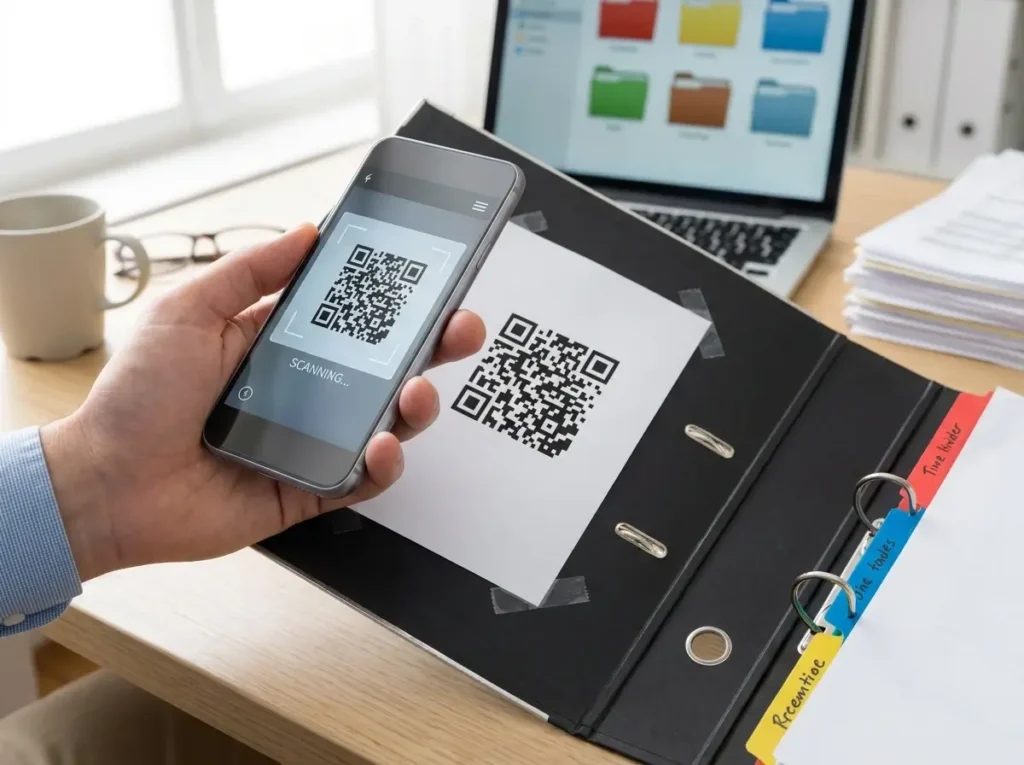
Even the most meticulously built physical binder is vulnerable to being accidentally left on a hotel desk or damaged by a spilled coffee.
To truly bulletproof your relocation system, you must bridge the gap between paper documents and digital formats. The most modern PCS binder organization ideas rely on building a secure, easily accessible cloud backup that goes wherever your smartphone goes.
Mirror Your Physical Tabs in the Cloud
A common mistake during a military family move is dumping hundreds of scanned PDFs into a single, unorganized desktop folder.
When you are standing in a leasing office trying to email a copy of your orders, frantically scrolling through randomly named files is a nightmare. Instead, create a cloud-based backup—using secure platforms like Google Drive or Dropbox—that perfectly mirrors your physical binder’s tab structure.
- Create digital parent folders labeled with the exact same names and colors as your physical tabs (e.g., “Red – Financial” or “Blue – Medical”).
- Use consistent file naming conventions for individual documents, such as “2026_Spouse_ID_Scan,” so the search bar can find them instantly.
This level of digital integration is one of the most powerful PCS binder organization ideas you can implement. If your physical relocation document organizer is ever temporarily misplaced, your perfectly mirrored digital system ensures your move does not come to a grinding halt.
The QR Code Hack for Instant Access
Having a digital backup is only helpful if you can actually access it in seconds.
Typing long URLs or digging through a cloud app’s root directory wastes valuable time during a stressful day of transit. One of our favorite PCS binder organization ideas is generating a free, custom QR code that links directly to your master moving folder in the cloud.
- Print the generated QR code on a bright piece of paper and tape it securely to the inside front cover of your physical binder.
- Scan the code with your smartphone camera anytime a housing office or medical clinic asks you to email them a digital copy of a document you are currently holding.
This hack seamlessly connects your paper records to your digital outbox. It completely eliminates the hassle of trying to take a clear, well-lit photo of a paper document while standing at a crowded reception desk.
Scan and Shred Before You Pack
A new change of station is the perfect time to audit what paperwork you are actually carrying across the country.
Many families drag along decade-old utility bills or expired pet travel documents out of habit, which eventually warps the binder rings. To keep your moving binder sleek and functional, establish a strict rule to scan and securely shred outdated documents before they ever make it into the new binder.
- Digitize historical files that you only need for long-term record-keeping, securely storing them in your mirrored cloud drive.
- Shred the physical copies of old leases, outdated insurance policies, and expired prescriptions so they do not add unnecessary bulk to your physical relocation files.
By actively curating what earns a physical ring in your binder, you prevent the system from becoming an overstuffed filing cabinet. This proactive approach keeps your everyday carry light, organized, and focused solely on the current relocation.
What NOT to Keep in Your Master Binder
A perfectly built system only works if you respect its limits.
One of the most overlooked PCS binder organization ideas is knowing exactly what to leave out. Your moving binder is designed to be an agile, everyday tool, not a portable filing cabinet for your entire life history.
If you try to stuff every single piece of paper you own into those rings, the system will inevitably collapse under its own weight. Let’s look at what absolutely does not belong in your master binder and how to handle those overflow items.
Relocate Bulky Medical and Historical Files
A common mistake during a military family move is trying to force massive, multi-year medical histories into a single plastic sleeve.
Thick stacks of paperwork, like a decade of dental x-rays, extensive physical therapy logs, or massive veterinary histories, will immediately distort your binder. Instead of cramming these into your daily carry, identify documents that are simply too bulky and transition them to a secondary storage system.
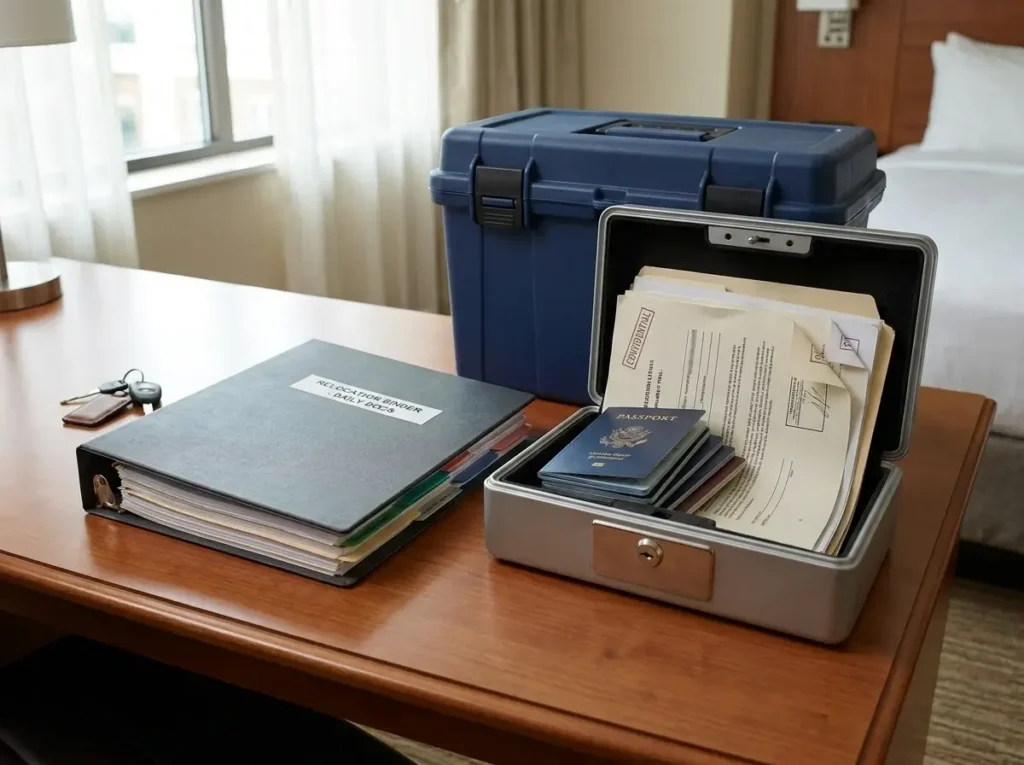
- Box them securely: Place these thick, historical files in a clearly labeled, hand-carried file box with a sturdy latch.
- Keep it close: Transport this box in your personal vehicle, never in the government-contracted moving truck.
By keeping your binder strictly reserved for immediate, active paperwork, you ensure you can find what you need without flipping through a hundred pages of historical data.
Protect Irreplaceable Documents Separately
Your master binder is highly visible. It sits on hotel desks, gets carried into housing offices, and is frequently opened in public spaces.
Because of this high visibility, securing truly irreplaceable items inside it is a major security risk. If the binder is temporarily misplaced, losing a stack of hotel receipts is annoying, but losing your family’s core identities is an absolute crisis.
The safest PCS binder organization ideas separate your sensitive identity documents from your daily logistics paperwork.
- Use a lockbox: Store passports, original birth certificates, naturalization papers, and original social security cards in a small, fireproof lockbox.
- Try a travel wallet: Alternatively, keep these items in a hidden, secondary travel wallet that stays securely tucked away in a personal bag.
Only keep photocopies of these sensitive items in the physical binder. This ensures your family’s most critical documents remain safe from opportunistic theft or accidental loss while traveling.
The Danger of the Over-Packed Binder
The ultimate test of a successful relocation system is how smoothly it functions on day ten of a cross-country drive.
You must avoid the trap of over-packing the binder until the metal rings begin to separate. When you overload the capacity, the rings warp, causing plastic sheet protectors to catch, tear, and eventually spill your documents all over the floor.
If pages are catching every time you turn them, the system is failing.
- Audit your pages: If the binder feels unmanageable, you need to revisit the best PCS binder organization ideas and ruthlessly declutter your tabs by removing non-essential items.
- Upgrade if necessary: If you legitimately need more space for active documents, upgrade to a larger heavy-duty D-ring binder rather than forcing a small binder to hold more than it was designed for.
A lean, functional binder allows you to execute your move with total confidence. It keeps your paperwork perfectly accessible from your old driveway straight through to your new front door.
Conclusion
A well-planned binder is the ultimate relocation command center.
It bridges the gap between chaotic packing days and finally settling into your new housing.
By implementing these strategic organization ideas, you remove the guesswork and drastically reduce stress on moving day.
Ready to start assembling your system?
Review our guide on How to Build a PCS Move Planning Binder for the physical supplies you need, and start organizing your stress-free move today.